
Raivo OTP

Simply the best authenticator

Every code, safely yours

A native, lightweight, non-commercial and secure multi-factor authenticator that keeps your one-time passwords with you on iPhone, iPad, Apple Watch and Mac.

  • iPhone, iPad, Apple Watch & Mac
  • Free, no ads
  • Open source
  • No personal data collected

Why Raivo

A password alone isn’t enough

Passwords get breached. Multi-factor authentication adds a 6-digit code that changes every 30 seconds, so a stolen password on its own isn’t enough to sign in.

Raivo makes that second factor effortless. Scan a QR code once, and your codes live in a fast, native app that is free, open source and doesn’t collect personal data that can identify you.

Your password
Raivo code
Two-factor sign-in
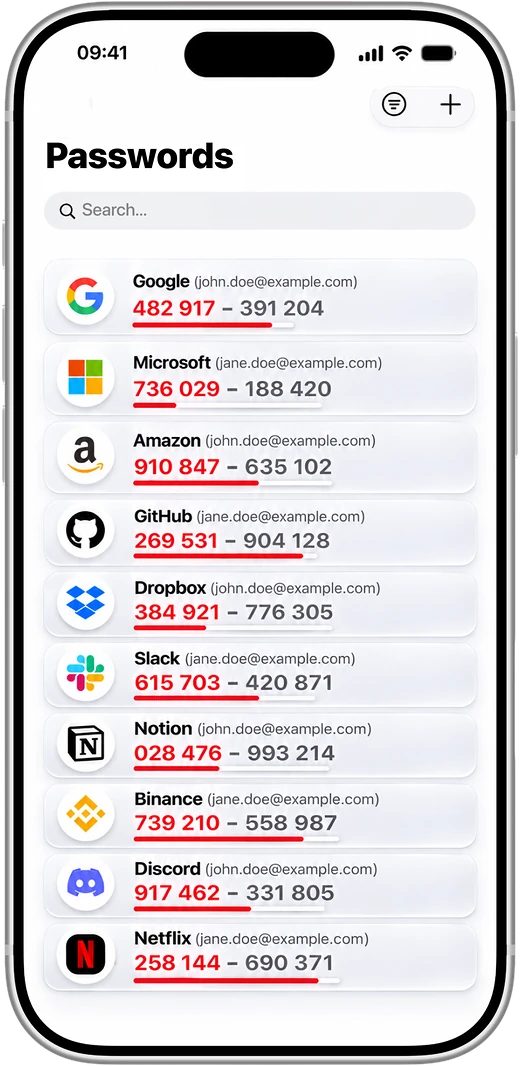
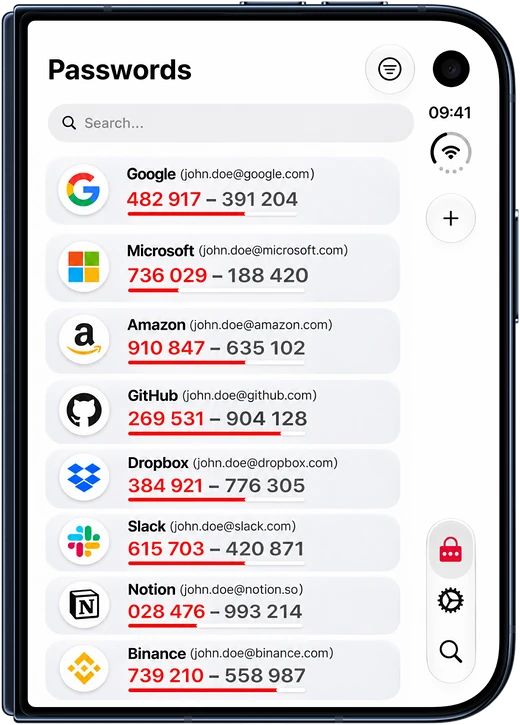
Raivo OTP on iPhone, showing the Passwords list with one-time passwords for Google, Microsoft, Amazon, GitHub, Dropbox, Slack, Notion, Binance, Discord and Netflix. Raivo OTP on Duo, showing the Passwords list on its wider display.

Features

Everything you need,
nothing you don’t

Six carefully considered features, built natively in Swift for the Apple devices you already use.

Synchronisation

Your codes across your Apple devices

Sync your one-time passwords to iCloud. They’re encrypted with your encryption key before they’re sent, and stay in sync across the iPhones and iPads you set up with Raivo. Check them on Apple Watch, or tap one to send it to your Mac.

Local backup

Stay in control

Export your one-time passwords to an encrypted ZIP archive, protected by your master password. Restore it from the settings screen.

Customisation

Make it yours

Add (custom) icons to your one-time passwords and apply effects to them.

Dark mode

Beautiful in the dark

Discover Raivo OTP’s dark side with a fully featured dark mode.

Powerful search

Found in a tap

Search through all of your one-time passwords with one tap, right under your thumb.

Native & open source

Built in Swift,
open for everyone

Experience a fast, native application built in Swift. And it’s open source too, so anyone can read and review the code.

Security

Encrypted
by design

Your one-time passwords are protected by layers you control, from the Secure Enclave on your device to the copy that syncs through iCloud.

1

Your master password

You define an encryption (master) password during setup. That encryption key is kept in your device’s Secure Enclave, Apple’s hardware security subsystem.

2

PIN & biometrics

Every unlock derives a key with PBKDF2 from your encryption key and PIN to decrypt the local database. Your PIN isn’t stored on the device.

3

Offline or iCloud

Stay fully offline, or sync with Apple iCloud. Everything sent to CloudKit is encrypted with your encryption key first.

Raivo doesn’t collect personal data that can identify you. And it doesn’t use third-party service providers that collect personal data.

  • Encrypted exportsZIP archives are locked with your master password.
  • The Mac stores no seedsRaivo for macOS only receives the codes you tap, encrypted in transit.
  • Responsible disclosureVulnerabilities are handled through Raivo’s HackerOne program.

Raivo OTP for macOS

Tap on iPhone,
paste on Mac

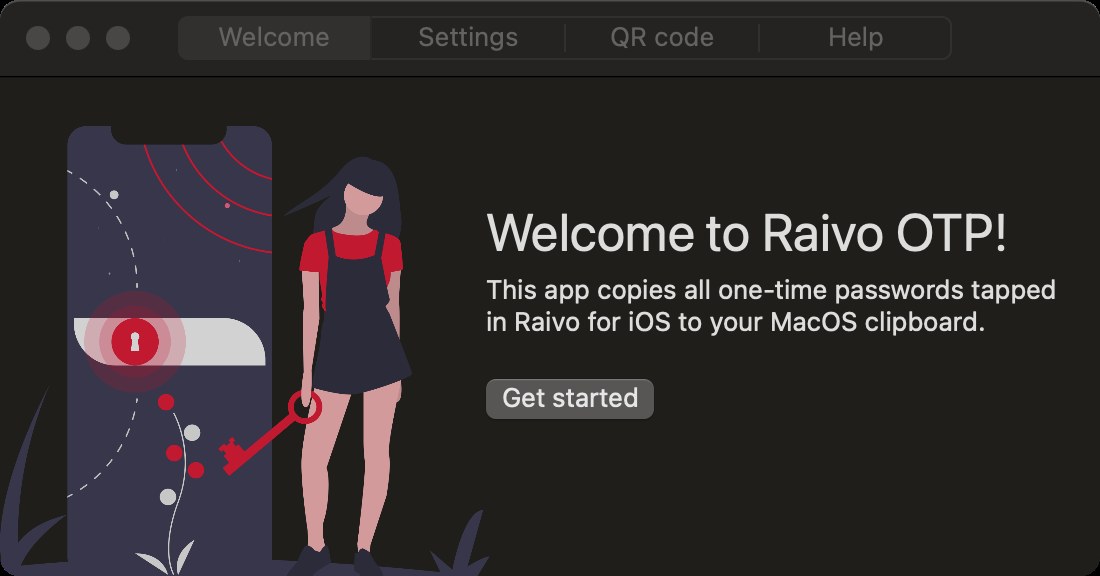
Use the Raivo OTP for macOS companion app to send your one-time passwords straight to your Mac’s clipboard. It works where Handoff doesn’t.

  • Works without Bluetooth
  • Works across different iCloud accounts
  • Doesn’t store your OTP seeds
The Raivo OTP for macOS welcome window: this app copies all one-time passwords tapped in Raivo for iOS to your macOS clipboard.

Get started

Four steps to
peace of mind

Once you’re set up, enable multi-factor authentication in any online service and scan its QR code with Raivo.

  1. 1

    Download Raivo

    Get Raivo OTP for free from the App Store. It’s the white icon with the red shield.

  2. 2

    Choose how to sync

    Pick a synchronisation provider to store your encrypted passwords. We strongly recommend Apple iCloud.

  3. 3

    Set a master password

    Choose a strong encryption password and save it in your password manager. You only need it when you (re)install.

    If you forget it, you lose access to your OTPs.

  4. 4

    Add a PIN & Face ID

    Your PIN unlocks the app every time. Enable biometric unlock to skip typing it.

FAQ

Questions,
answered

The essentials about Raivo OTP. Still curious? Browse the full FAQ or get in touch.

What is Raivo OTP?

Raivo OTP is an app for iPhone, iPad and Apple Watch that secures your online identity with multi-factor authentication (MFA). Besides your username and password, you enter a 6-digit code from Raivo that changes every 30 seconds, which makes your accounts far harder to breach.

You can enable MFA in almost every online service, usually on its (security) settings page. Scan the QR code it shows with Raivo, and your codes are ready in the app.

What are one-time passwords?

A one-time password (OTP) is a code you use in addition to your username and password. As the name says, each code can only be used once, and it changes every 30 seconds, which makes it difficult for attackers to obtain. Using OTPs increases your cyber resilience.

Are my one-time passwords encrypted?

Yes. All one-time passwords (effectively the seeds) stored in Raivo OTP for iOS are encrypted using your encryption (master) password and your PIN code. With iCloud sync enabled, your passwords in iCloud are encrypted using your master password.

Exported ZIP archives are encrypted with your master password too.

Is Raivo OTP available for other operating systems?

Raivo OTP is only available for iOS, watchOS and macOS. It won’t be supported on Windows or Android. The macOS app is a companion that receives OTPs when you tap them in Raivo for iOS. It will never become a fully fledged app, as that would compromise the security level.

What does Raivo for Mac do that Handoff doesn’t?

Apple Handoff has two annoying requirements that Raivo OTP for macOS doesn’t have:

  • Handoff doesn’t work without Bluetooth. Raivo OTP for macOS does!
  • Handoff doesn’t work across iCloud accounts. Raivo OTP for macOS does!

Get Raivo

Free on the App Store for iPhone, iPad and Apple Watch, with a companion app for Mac.